About Services Consulting Workshop Certificates Events Work Blog Links Contact 🇵🇦 Español Book 10 free minutes →
← All resources Tutorial
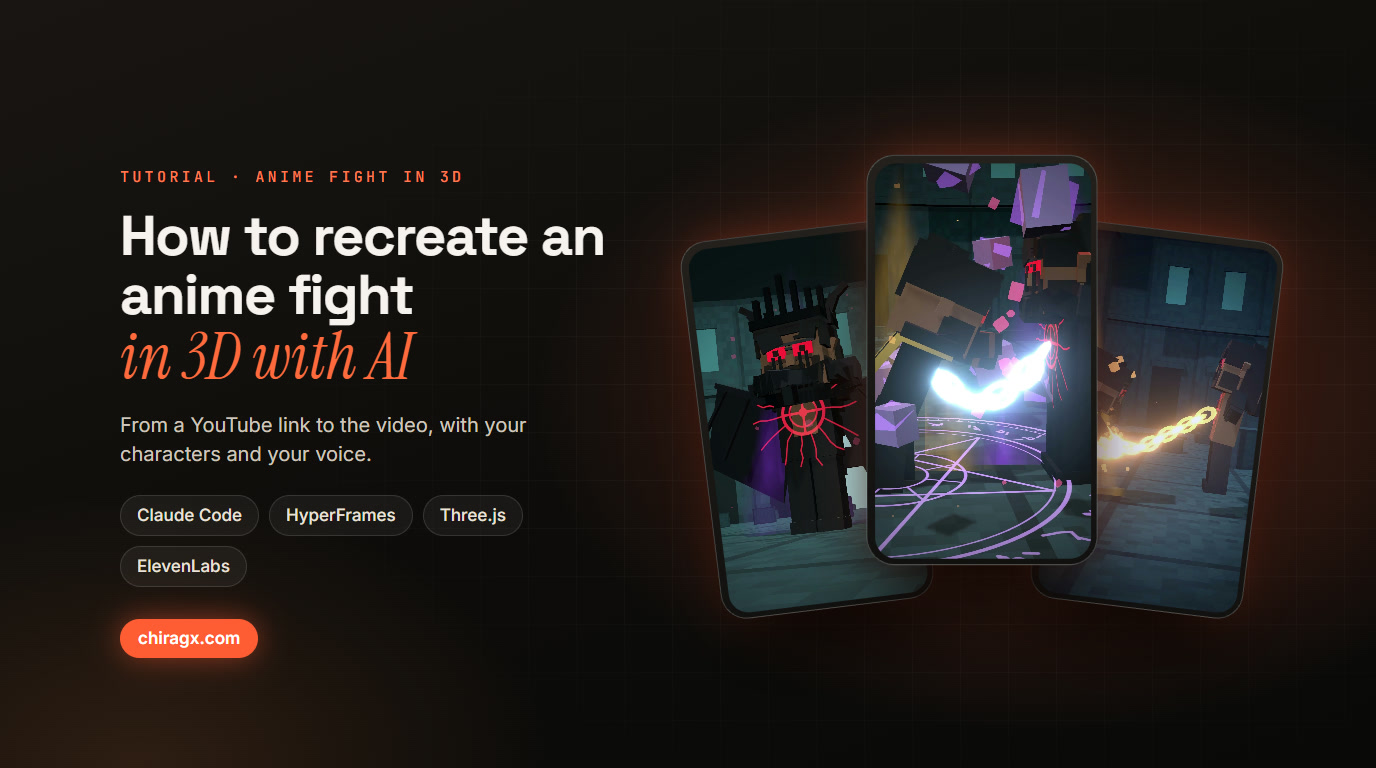
How to recreate an anime fight in 3D with AI

From a YouTube link to the video: the Magna vs Dante fight in blocks, with my characters and my voice. The real messages, the steps and the skill.

How to recreate an anime fight in 3D with AI
A block style homage to the Magna vs Dante fight (Black Clover), with our own characters (audio in Spanish).

This video recreates in 3D one of the most talked about anime fights of the moment, with our own characters: Manji against his 3 a.m. self, with Claude as his partner. The voices are my cloned voice, acted with emotion. I filmed nothing, never opened Blender and animated nothing by hand: it all came from talking to Claude Code, from pasting the YouTube link of the fight to the last version.

Here is the exact process: the messages I sent, how I asked for improvements in each version, the tools, and the skill you can install in your Claude Code to do the same with any fight or scene.

Free download

Download the kit

Free, no email needed: one click and it is yours.

Download →

How much of your Claude plan it uses

The whole process, from asking for the video to the seventh version, used about 1.8% of my plan's weekly limit. Translated to each Claude plan:

  • Pro ($20 a month): about 18% of your week.
  • Max ($100 a month): about 3.5% of your week.
  • Ultra ($200 a month): about 1.8% of your week.

It is an estimate made from the session's real tokens (Claude Opus 5.5) compared with everything I used that week. Pro also has a limit every 5 hours, so the same work would take you several rounds.

What you need

  • Claude Code: the agent that studies the reference, writes the plan, builds the 3D world, records the voices and mixes.
  • HyperFrames: by HeyGen, open source (Apache-2.0 license). It turns HTML into video, frame by frame and always the same, and ships skills for Claude Code.
  • Three.js: the 3D world, made of cubes.
  • yt-dlp: downloads the reference to study it frame by frame.
  • ElevenLabs: your cloned voice, the acted voices, sound effects and original music.
  • ffmpeg: detects the reference's cuts, processes the voices and does the mix.
  • Whisper (via transformers.js): listens to every take and confirms it is understandable.
  • The pelea-anime-3d skill: it comes in the kit above, with every script that was used.
npx hyperframes init my-fight
npx hyperframes skills update
pip install yt-dlp

Step 1: the request and the reference

It started with a casual question about the fight everyone was talking about that weekend. Claude looked up the episode and what people were saying about it. Then came the real request, translated from Spanish:

I want to recreate the climax of the whole episode, with the characters and everything exactly as is but in Minecraft mode with our characters, I'm Magna, I want it 1000% recreated

I sent two links: a YouTube AMV with the best moments and a TikTok with the full fight. I asked for it to be studied frame by frame, in Spanish and in 2 to 3 minutes. Claude downloaded both videos with yt-dlp, detected every cut with ffmpeg and built contact sheets with the time on each frame to read the fight shot by shot: who is in frame, every effect, every punch.

The reference is downloaded only to study it. The final video carries not one frame, nor the audio, nor the original song: the voices, effects and music are ours.

Step 2: the plan

  • Cast: every anime character has an equivalent of ours, and the rival dresses like the original.
  • One idea that tells everything: tokens. The chain takes half of Dante's, he burns them retrying, Manji learns to fight with few, and in the end Dante runs out.
  • Moments: a table with the reference second, our second, what is seen and who speaks.
  • Effects to recreate: chains coming out of the chest, magic circles, fire, impact frames, purple stones.

Step 3: the 3D world

It is all Three.js code inside HyperFrames: the ruined colosseum, the block characters with knees, the poses and the choreography. Some tricks that made the difference:

  • Punches that land: the puncher steps in, the arm turns to the other's face and stretches until it touches it, with a pause on impact, a head snap and slow motion on the big hits.
  • Close-ups in vertical: over the puncher's shoulder, with a wider lens and the camera further back, because a vertical frame is narrow.
  • Auto framing: every shot backs off until the characters fit whole, never cut off.
  • Continuity: the chain shows whenever they are linked, and the crown, once it falls, stays on the floor.
  • Cards that explain: when Dante says he can retry infinite times, a "Retry" button counts to infinity and warns that every try burns tokens.

Step 4: emotional voices, in your voice

A voice clone made from a calm recording sounds flat. The fix was to separate the acting from the timbre:

  1. Expressive voices from the ElevenLabs library act each line with the eleven_v3 model and one emotion per moment: arrogant, panting, panicking, fierce.
  2. Each take goes through speech-to-speech into my cloned voice: the acting stays (rhythm, intonation, breathing) and my voice goes on top.
  3. Four takes per line, about 170 in all. Whisper listens to each one, and the winner is the clearest, most expressive take that best fits its slot.
  4. The villain is pitched lower with the formants kept, so it sounds like a real voice and not slowed tape, and every voice gets a bit of room reverb.

Step 5: effects and music

Every punch has its own effect, generated with the ElevenLabs sound effects API. The original music was composed with Eleven Music in sections cut to the edit. The ffmpeg mix EQs the voices, ducks the music on its own when someone talks and lands everything at -15 LUFS, the social media standard. In the end I preferred the version with voices and effects only.

Step 6: one source of timing

One script reads how long each voice line lasts and on which second each word lands, and uses that to place captions, punches, effects and cameras. Change a line and everything rearranges itself.

Step 7: review and render

HyperFrames takes snapshots of key moments and Claude reviews them before rendering. Small fixes don't need a full render: only the span that changed is rendered and spliced frame exact into the previous version.

Step 8: seven versions, like with a client

  • v1 to v2: "the cuts are too abrupt", the chain didn't always show, the crown came back, fights from behind, no camera rotation. Result: long takes, orbiting cameras, transitions and proper framing.
  • v2 to v3: "no punch connects" and the episode's order (fire first, then the chain coming out of both bodies at once). Result: aimed punches and close-ups of the fist hitting the face.
  • v3 to v4: the hero never falls, his partner holds him up at the end, and Dante runs out of tokens before the final blow.
  • v4 to v5: "the robotic way of talking with no flow". Result: acted voices converted into my voice.
  • v5 to v7: no background music, explain on screen what "retry" means, and seven lines rewritten so the tokens idea reads from start to end.

Then I did some final touches, like cutting scenes and adding background music. You can do that in any video editor and you are done.

What I learned

  1. Send the reference, don't describe it. With the links, Claude studies every shot instead of guessing.
  2. One idea in every line. Tokens made the fight not only look good but make sense.
  3. Ask for concrete changes. "No punch connects" can be fixed; "I don't like it" can't.
  4. Acting and timbre go separately. That is how your cloned voice sounds emotional.
  5. Explain the jargon on screen. If the audience doesn't know what retrying is, the joke doesn't land.

What is in the kit

  • The pelea-anime-3d skill: the full method so Claude Code can do it with any fight. Copy its folder into .claude/skills.
  • PROMPTS.md: the real messages, from the first link to the seventh version.
  • The scripts: acted voices and conversion to your voice, Whisper, effects and music with ElevenLabs, the mix and the single source of timing.
  • The full 3D world, the cards and the captions, for reference.
  • The plan and the script of this video, as an example.

The kit's notes and script are in Spanish, and it carries no keys: you add your ElevenLabs key and your cloned voice ID. The HyperFrames skills install from their source with npx hyperframes skills update.

If you like these videos, also see how I made the literal genie 3D video.

Free download

Download the kit

Free, no email needed: one click and it is yours.

Download →

Stuck on a step?

Write me and we look at it

The resource takes you from zero to a hundred on its own, but some steps land better in a conversation. If you got that far and something is off, send me your site and I will tell you what is going on.

Book a call →

3D video · Anime · AI · Claude Code · HyperFrames · ElevenLabs