How to make promo videos with AI, step by step
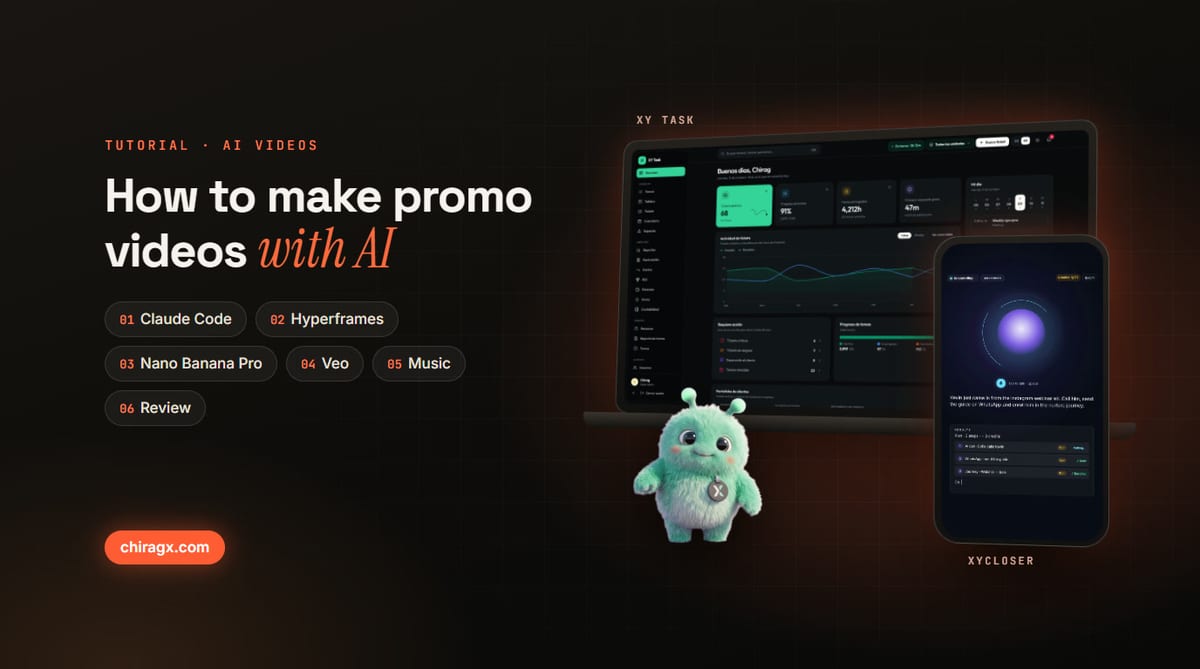
Nobody filmed the promo videos for xyCloser and XY Task, two products my team and I built at BBR Tek. There was no camera, no studio and no video editor. AI made them from each app's own code, and I directed: I approved the script, asked for changes and picked which version shipped.
In this tutorial I walk you through every tool and skill we used, in the order you use them, with what we learned along the way.
The videos
xyCloser is an AI CRM that calls your leads, follows up on WhatsApp, Instagram and email, and makes your ads. Its first video tells the life of one lead in 24 seconds: the lead comes in, the AI agent calls and books the meeting, the follow ups go out, and the deal lands on the dashboard as won. A 60 second cut, a vertical cut and a Spanish version for Reels followed.
XY Task is an operations platform for teams: tickets, tasks, shifts, HR, billing and bookkeeping in one app. Its tour went through four versions in two days (October 9 and 10, 2026), from 44 to 84 seconds. The last one added Xy, the mascot, who shows up at the key beats and speaks a made up language.
The tools at a glance
- Claude Code with the /brag skill: reads the app's code, understands what it does and writes the script scene by scene.
- Real screenshots: the app running in demo mode, with test data, captured with headless Chrome.
- Hyperframes: turns an HTML page into video, frame by frame. It is open source, by HeyGen.
- Nano Banana Pro: images and mascots. We run it from xyCloser's studio, at $0.039 per image.
- Veo 3.1 and Kling 3.0 Pro: bring those images to life. Veo animated Xy and gave it a voice.
- ffmpeg: crops, removes backgrounds, mixes the audio, encodes and checks the final video.
- Music and voice: licensed tracks or music generated with code, and narration with Kokoro, an open voice model, checked with Whisper.
Step 1: install Claude Code and the /brag skill
It all starts in Claude Code, Anthropic's agent that works inside your project. A skill is a package of instructions that teaches it a specific job. /brag is the skill that turns a project into a short launch video. Two commands install it and one runs it:
/plugin marketplace add https://github.com/latent-spaces/brag.git
/plugin install brag@brag
/brag --format vertical
You can set the format (landscape, vertical or square), the tone (polished, cinematic, startup parody) and whether you want a voiceover. It also takes free direction, like "make it feel like a movie trailer".
Step 2: let it read the code and write the script
/brag doesn't look at the site from the outside: it reads the code. Before writing a single scene it answers nine questions: what the app is, who it is for, what sets it apart, what its strongest claim is and which real screen is worth showing. Then it writes brag-plan.md, a script with this shape:
- Hook (2 to 3 seconds): what decides whether people keep watching.
- Reveal (2 to 4 seconds): the product appears.
- Key moments (5 to 12 seconds): two or three things it does, shown with the real app.
- Outro (2 to 4 seconds): the brand, the line and where to go.
This is where your judgment matters most. For xyCloser the angle that worked was not describing the product but following one lead from start to finish. For XY Task it was taking the line from its own landing page ("Tickets. Tasks. HR. Shifts. Billing. One platform.") and proving it module by module. Read the script, ask for changes and approve it before moving on.
Step 3: capture real screens, with test data
A product video convinces when it shows the product. For XY Task we captured 25 screens of the app running in demo mode, at 3840 x 2160, so the camera can push in without pixelation. The video animates those captures: camera moves, cursor, clicks, pasting a list and highlights.
The rule that never bends: always test data. In xyCloser the lead is called Kevin Ortiz and doesn't exist; in XY Task the company and the people are samples. No real clients, real emails or business figures.
Step 4: Hyperframes turns HTML into video
Hyperframes is what makes all of this possible. Each scene is plain HTML, with attributes that say when it starts and how long it lasts, and the animation is a timeline that can be paused at any point. This is what a scene looks like:
<div class="clip" data-start="4" data-duration="6">
  <h1>One platform.</h1>
</div>
Because every frame depends only on time, the render always comes out the same. The XY Task tour is 84 seconds at 30 frames per second: 2,520 frames, each one drawn by headless Chrome. Before rendering, npx hyperframes check reviews the code, text that gets cut off or covered, and contrast. Then npx hyperframes render outputs the MP4.
Step 5: images and mascots with Nano Banana Pro and Veo
For anything that doesn't exist in the app we use generative AI, always from xyCloser's image and video studio. That is how Xy, the XY Task mascot, was born: Nano Banana Pro made three concepts (a glossy robot, a fluffy creature and a plush robot) and the mint creature won. With that image as a reference came five poses of the same character on a magenta background: waving, cheering, curious, keeping a secret and flying.
Then Veo 3.1 animated each pose and voiced it, in a made up language nobody understands. A custom keyer removed the magenta without leaving a pink halo on the fur, and in the tour Xy appears at eight moments: about 16 of the 84 seconds, so it never competes with the copy. Xyro, the xyCloser mascot, came out of the same process. For shots with people we use Kling 3.0 Pro, which turns a photo into a five second clip.
A rule we learned fast: never ask a video generator for text, numbers or screens. It warps them or makes them up. That stays in HTML; generative AI is for characters, objects and shots.
Step 6: music, sound effects and voice
The music is not a background: it sets the rhythm of the cut. /brag ships licensed tracks along with a map of where their hits land. In the xyCloser video, at 110 beats per minute, the three strong moments land right on a hit: the booked meeting at 8.74 seconds, the dashboard at 18.56 and the brand at 22.37.
For XY Task the music was composed with code: a piece at 120 beats per minute where each bar lasts two seconds, so every scene starts on a bar. The sound effects (clicks, the paste, a ding for each task created) are tuned to the same key.
For voice there are two paths. In the 60 second xyCloser cut, the agent's call uses system voices filtered to sound like a phone line, with a synthesized ringback tone. For narration we use Kokoro, an open voice that runs on your computer, and check every line with Whisper: if Whisper can't understand a word, people won't either.
Step 7: review before you ship
Today, before publishing, every video goes through an automatic check with ffmpeg: no long black or frozen frames, no silences, loudness between -16 and -11 LUFS (loud, but without distortion), and a sheet with one frame from the middle of each scene to review by eye. Then the best frame is picked as the poster, baked in as the video's first frame so it is the thumbnail everywhere, and the share copy is written.
What we learned
- The hook rules. Decide it before anything else.
- Fast doesn't mean flashing. Cuts and motion set the pace; every line stays on screen long enough to read.
- Vertical goes in vertical frames. A reel inside a landscape window looks cropped.
- Iterate in versions, not from scratch. XY Task had four versions and each one built on the last: sharper hooks, the provider model, permissions and, finally, Xy.
- Your voice is the direction. AI does the heavy lifting, but you decide the angle, the tone and what stays out.
What it costs
Claude Code comes with your Claude plan. Hyperframes, ffmpeg, Chrome, Kokoro and Whisper are free and run on your computer. The only pay per use part is the generative one: each Nano Banana Pro image costs $0.039 in xyCloser, and Veo or Kling clips are charged per clip. A product video without a mascot or generated shots can be made without spending an extra dollar.
Want videos like these for your business?
This is the same thing I teach in my workshop and what my team builds for companies: product videos made from your own app, with no filming. If you want to see it applied to your case, book a VIP Consulting session.

This is where I can help
Want this for your business?
Book your VIP Consulting session →Get every article in your inbox
AI and business analysis, no hype. Only when I publish something worth your time.