How to make a flyer with AI: first one free, no designer
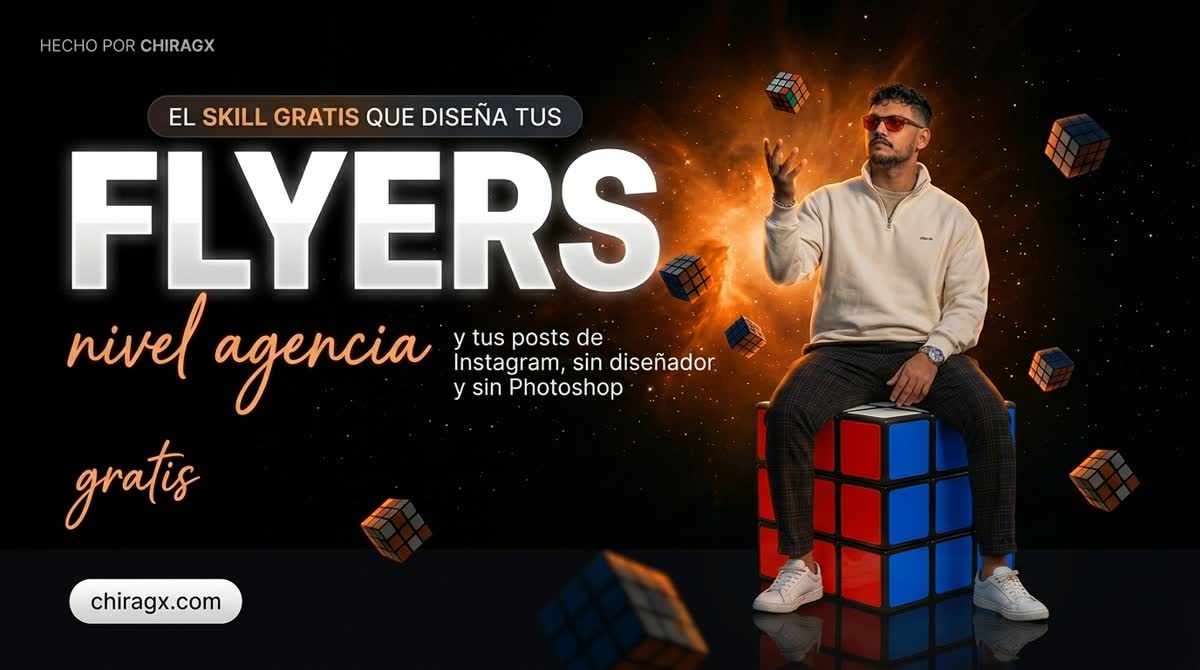
A flyer with AI in under a minute: the skill writes the prompt and xyCloser makes the image. The first one is free and the rest cost 13 cents.
Free, in exchange for knowing who you are
Download it free
You get the whole thing at no cost. I only ask for your email so I can write later and ask how it went: if something did not work for you, I want to know. No spam.
One confirmation email and that is it. You can leave whenever you want.
What you will be able to do
I made every flyer on this page myself, and none of them touched Photoshop or a designer. Each one took under a minute and costs 13 cents. The first one is free.
I did not learn design and I did not sit down to study how prompts are written. I use two things: a skill that writes the prompt for me, and xyCloser, which turns it into the image. That is the whole process, and that is what I am showing you here.
AI-made flyer: the free skill that designs your flyers at agency level
Why most people give up on this
If you already tried making a flyer with AI, one of these probably happened: the text came out with warped letters, the face changed in every version, or it simply looked nothing like what you had in mind.
The cause is always the same. A flyer that works needs a three-paragraph prompt with composition, size hierarchy, light direction, palette, and reserved space so the headline does not land on the face. Nobody writes that by hand, which is why most people quit after three ugly attempts.
That is the work the skill does. You bring the idea; it builds the whole prompt.
AI-made flyer: surprise your clients with these flyers, no designer needed
Step 1. Install the skill
Unzip the folder inside your skills directory:
~/.claude/skills/ig-carousel-prompter/
On Windows that is C:\Users\YOUR-USER\.claude\skills\. It activates on its own when you ask for a flyer, slides or a carousel.
Not using Claude? The file is Markdown: open it and read it as a manual. Inside are the six visual systems and the hundred-plus composition structures it uses to decide how each piece is built.
AI-made automation flyer: a man taped to a chair with copy and paste, invoices by hand and manual follow-up
Step 2. Tell it what you want, in one line
There is no technique here. You tell it what you want the way you would tell a person:
An Instagram flyer about automation, with
"YOUR WEEK" across the top, showing someone
drowning in repetitive tasks.
Two things worth giving it, because they are the ones it cannot guess:
The exact text you want to see, in quotes. If you say "something about sales", it has to invent it, and that is where the squiggles come from.
A visual reference, if you have one in mind. A Pinterest link or a profile you like. With that it aims the composition and palette instead of guessing them.
The skill hands back the complete prompt as plain text. It works in any image generator: paste it wherever you work and go.
And it does not all have to be a serious poster. This meme came from a single sentence: "make me a 6-7 meme but about people's websites being mediocre". Same skill, same minute.
Asked in one line. The skill decided the framing, the gesture and where the numbers go.AI-made flyer over the Panama City skylineDramatic AI-made flyer: free SEO audit
Step 3. Generate the image in xyCloser
This is where xyCloser Image Studio comes in, which is my platform. You paste the prompt and generate. Three things make the difference:
Upload your photo once and it is you in all of them. That is the difference between a campaign with your face and twelve flyers with twelve different strangers. Mine is in every one on this page.
Upload your reference and it actually uses it. Not as vague inspiration: as the base for composition. That is what makes twelve different pieces look like one brand.
It runs in batches. Twelve variants of a campaign come out in one go, not one at a time.
What it costs, no small print
Creating the account is free, no subscription and no card. Just an email and a password. You land straight in the Image Studio with 10 free credits, enough for your first flyer and a bit more.
Each image uses about 7.8 credits, which is 13 cents. When you run out, you top up from five dollars and the credits never expire:
$5 · 300 credits · about 38 images
$10 · 640 credits · about 82 images
$20 · 1,350 credits with bonus · about 173 images
One-time payment, not a subscription. Put that next to what a single piece costs with a designer and the maths does itself: twenty dollars covers a year of campaigns.
AI-made surveillance-interface flyer: how Google sees your site
What I learned making the twelve on this page
These are the real stumbles, not theory:
An illustration of you does not lock your identity. I used my animated avatar as the reference and the system read it as style, not as a person: it handed me back a stranger. With the real photo it never failed.
You have to name your distinctive feature. In my case it is the red sunglasses. Without mentioning them the likeness collapsed even when everything else was right. Everyone has one.
Generate three, pick one. The free credits cover the first one; after that, at 13 cents each, trying variants costs less than settling for the wrong one.
Check it on your phone before publishing. That is where people will see it, not on your big screen.
AI-made flyer: when the client wants to meet the team and the team is a set of automations
Frequently asked questions
Can you make a flyer with AI for free?
Yes. When you create your xyCloser account you get 10 free credits, enough for your first flyer. The skill that writes the prompt is free too. After that, each image costs about 13 cents, with no subscription.
Which AI do I use to make flyers?
Two pieces: the ig-carousel-prompter skill in Claude, which writes the full prompt, and xyCloser's Image Studio, which generates the image. The prompt comes out as plain text, so you can also paste it into another image generator.
Why does the text on my flyer come out garbled?
Almost always because you did not give it the exact text. Write it in quotes, spelled exactly as it should appear: if you ask for "something about sales", it makes it up, and that is where the scribbles come from. Even so, check every word before you publish.
Can I appear in my own flyers?
Yes: upload one real photo of yourself and it uses it across every piece. An illustration or an avatar does not work the same way, because it reads it as a style, not as a person.
How long does it take to make a flyer with AI?
Under a minute per image. What takes longest is deciding the exact text, and nobody can do that for you.
If you want us to set this up with you
Everything above you can do on your own, which is why the skill is free. Where I usually come in is when this stops being one flyer and becomes a company visual system: the brand consistent across every piece, campaigns wired into the CRM, and whoever writes to you landing in a funnel instead of an inbox.
If you are at that point, write me and we will look at your case together.
AI-made editorial flyer: SEO without strategy is just a pageAI-made flyer: how to get clients without chasing anyone through DMsAI-made editorial flyer: the tools I use every day in PanamaAI-made flyer: AI advisor for companies in Panama CityAI-made screen-print style flyer
Free, in exchange for knowing who you are
Download it free
You get the whole thing at no cost. I only ask for your email so I can write later and ask how it went: if something did not work for you, I want to know. No spam.
One confirmation email and that is it. You can leave whenever you want.
Stuck on a step?
Write me and we look at it
The resource takes you from zero to a hundred on its own, but some steps land better in a conversation. If you got that far and something is off, send me your site and I will tell you what is going on.